
Wacom One 14 pen display
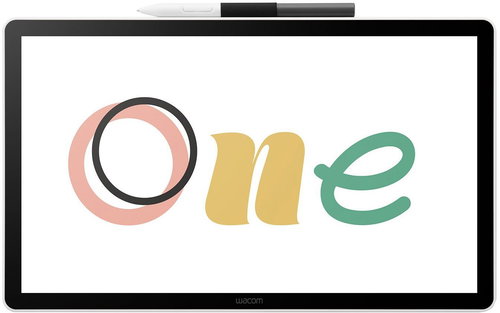
Wacom One 14 pen display
Wacom One 14 Pen Display is a modern graphics tablet with a display that offers a natural drawing feel, high pen precision and a compact size for everyday work and study. With its IPS screen, high resolution and true-to-life colour reproduction, it is suitable for illustrators, photographers, students and users who want to conveniently annotate documents or create digital content. Plus, connecting with a single USB-C cable simplifies installation and saves desktop space. The tablet uses EMR technology so the pen requires no charging and responds to 4096 levels of pressure for precise strokes and fine shading. The anti-glare display surface provides a nice paper-like resistance, making it easy to work for longer periods of time. The active area of 309 × 174 mm offers plenty of space for drawing, retouching and graphic design. Compatible with Windows, macOS and ChromeOS, the Wacom One 14 graphics tablet is the ideal choice for beginners and more experienced creators alike.

Key Features of the Wacom One 14 Pen Display Graphics Tablet
- 14" IPS display with 1920 x 1080 px resolution
- Active area 309 × 174 mm (16:9)
- Wacom One 14 Pen Display graphics tablet has a precision pen with 4096 levels of pressure
- 98% sRGB colour space for true colour reproduction
- EMR technology - battery-free and rechargeable pen
- Can be connected with a single USB-C cable (DP Alt Mode)
- Anti-reflective display surface with pleasant "paper" resistance
Display and work surface
The Wacom One 14 graphics tablet offers a 14" IPS display with Full HD resolution for sharp images and wide viewing angles. The active area of 309 × 174 mm provides ample space for drawing, writing and detail work. Anti-reflective surface minimizes glare and improves readability when working in light. Direct Bonding technology reduces parallax and ensures accurate pen stroke sensing.

Natural pen work
Included is the Wacom One Standard Pen, which works without a battery thanks to EMR technology. Supports 4096 levels of pressure and tilt up to 60°, allowing for natural shadow formation and variable stroke. Two side switches can be used to quickly access functions in graphics programs. Spare tips and a tool for replacing them are also included.


Easy connectivity and wide compatibility of the Wacom One 14 graphics tablet
Wacom One 14 can be connected to a computer using a single USB-C cable with DisplayPort Alt Mode or Thunderbolt 3/4 support. Installation is easy - once connected, just download the Wacom driver and get started. The device is compatible with Windows 10+, macOS 13+ and ChromeOS. Its light weight of 750 g makes it suitable for mobile or shared working environments.
Specifications
Display/Scanning surface
Connection and battery life
Package contents
Dimensions and weight
Brand/models
| Code: | MF129a3 |
| Warranty: | 24 months |
| Links: | Producer's Website: |
| Manufacturer information |
WACOM Europe GmbH, WACOM Europe GmbH, Zollhof 11-15; 402 21 Düsseldorf; Germany, [email protected] 
|