
Xbox One Wireless Controller Grey/Green

Show alternatives
Product accessories
Manufacturer website

Don't like the alternatives?

Choose from the full offer

Xbox One Wireless Controller Grey/Green

The Xbox One Wireless Gamepad Controller in Grey/Green

Are you one of the many Xbox One console enthusiasts? Then you should definitely take advantage of this new wireless controller in a special Grey/Green colour design featuring all the standard buttons and joysticks which have been modernised by Microsoft.
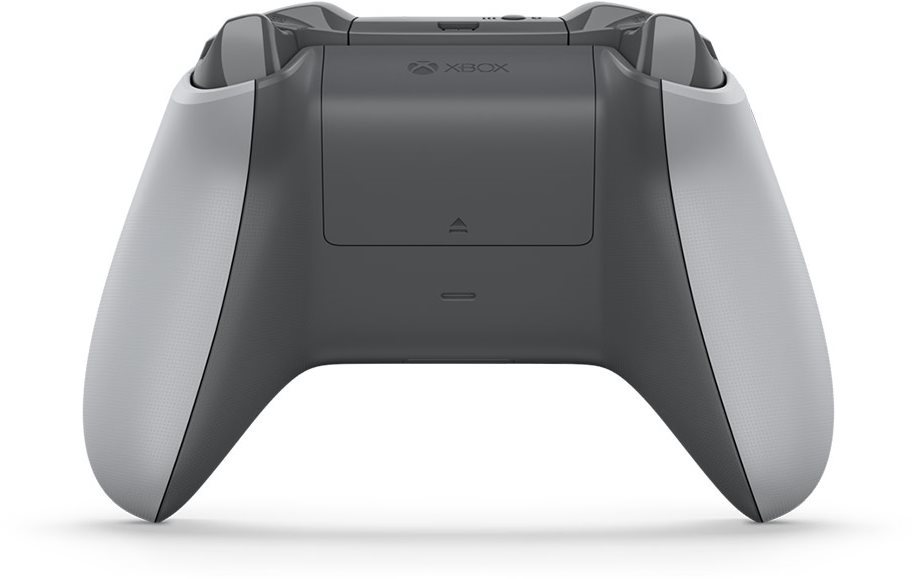

Gamepad Xbox One Wireless Controller Gray / Green

Feel Every Bump

The Xbox One Wireless Controller is the successor to the award-winning Xbox 360 console driver. An even more intense gaming experience comes from the Impulse Trigger, giving you vibrations at your fingertips. You will feel every bump, crash and kickback of the weapon. The unprecedented accuracy of the controls is provided by redesigned levers and improved directional control.


Excellent Ergonomics

Better shaping and a new design fit comfortably into anyone's hand, allowing a firm, secure grip under any circumstances. The battery is hidden within the body of the controller, so you can grasp it more naturally, making it easier to get to the buttons and joysticks you need for that perfect control. The non-slip surface of the levers prevents the thumb from sliding, giving you precision control.

Gamepad Xbox One Wireless Controller Gray / Green, přední strana

Compatibility with Windows 10

This enhanced driver finally supports Bluetooth technology, making it easy to pair not only with Xbox One but also with Windows 10 computers.
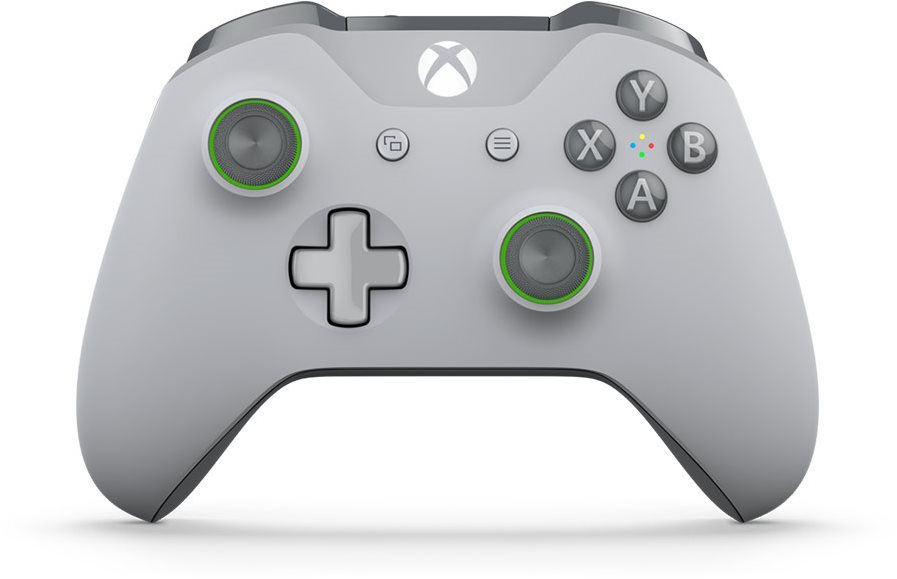

Gamepad Xbox One Wireless Controller Gray / Green

Key Features of the Xbox One Wireless Gamepad Controller in Grey/Green

  • Ergonomic shaping for comfortable gaming
  • 3.5mm headphone connector
  • With Bluetooth, you can easily pair with Windows 10
  • Exclusive design

• The Bluetooth connection requires Windows 10 Anniversary Update and a USB 2.0 or USB 3.0 port installed on your computer. 
• A major firmware upgrade may be required, the connection may be charged by your ISP. Visit xbox.com / xboxone / controllerupdate for instructions on updating.
• Bluetooth connectivity is supported on all computers, tablets and laptops. Not supported on mobile devices. 
• No extensions, such as a headset, keyboard, or stereo headset adapter for the Xbox, are supported in Bluetooth. 
• We recommend using only one driver at a time via Bluetooth.
Instructions:
• To pair the driver with your computer using Bluetooth, follow these steps:
• Verify that Windows 10 with Anniversary Update is installed on your computer. For information about how to get the latest Windows update, see Windows Update: frequently asked questions. 
• Please update the driver for best performance. See the Update for the Xbox One Driver in Windows 10.
• Turn on the Xbox Wireless Controller by pressing the Xbox button. 
• On the remote control, press and hold the pairing button for three seconds.
• On your computer, on the Start menu, select Settings> Devices> Bluetooth and other devices. 
• Enable the Bluetooth option so your computer can search for Bluetooth devices.
• Select Wireless> Xbox> Pair.

Specifications

Platform

Platform PC, Xbox ONE

Platform

Platform PC, Xbox One

Inputs and outputs

Connecting 3,5mm Jack , MicroUSB

Connections

Connection type Wireless
Interface Bluetooth
Compatible OS Windows 10

Dimensions

Width 200 mm
Height 200 mm
Depth 40 mm

Weight

Weight 200 g

Equipment and features

Equipment Vibration, Analogue stick
Number of buttons 10 ×

Battery

Battery AA
Code:  MXO008b8
Links: Producer's Website:
Manufacturer information

Microsoft is a multinational corporation based in the United States. Microsoft products have had an indelible influence on our perception of virtual worlds since 1975, when Bill Gates and Paul Allen founded the company. The company is best known for its peerless software, including Windows OS and the universally used Microsoft Office suite. The company is gradually becoming more active in hardware as well - for example, with Xbox gaming consoles and Lumia mobile phones.

Show more
