
Ashampoo Snap 11 (Electronic License)
Don't like the alternatives?
Choose from the full offer
Ashampoo Snap 11 (Electronic License)
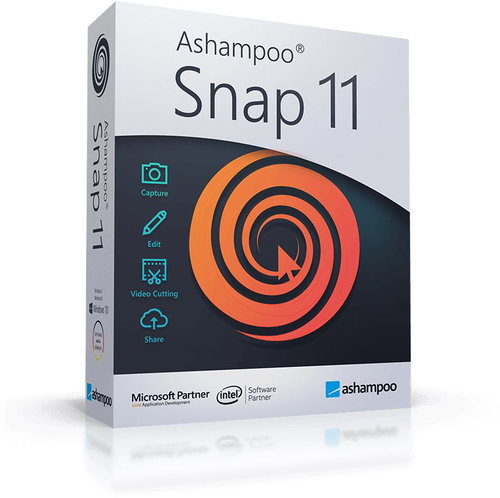
Ashampoo Snap 11 allows you to create screenshots and videos really easily . You can capture and edit everything you see on the screen. Just select a section of the screen, whether the whole web page or an individual part. There are a huge number of tools in the application, such as a timer, automatic scrolling of web pages or even intelligent text recognition.
Key features of the Ashampoo Snap 11 office application
- Easy creation of screenshots and videos
- Just select a section of the screen
- Huge number of tools
- Really fast sharing and storage of important information
- Add illustrative graphic elements
- Possibility to display clicks and keyboard shortcuts in recordings
- Convenient watermark function
- Possibility to connect Full HD with 4K
- Automatically adjust screen settings
- Inserting information into the image where it was taken
- Intuitive video editing
Fast sharing
This application allows you to share important information with others really fast. Use various graphic elements such as arrows, automatic numbering and much more to show exactly what you want to express. With Ashampoo Snap 11 you save time, effort and do not have to use cumbersome descriptions, everything will be clear from the picture.
Wide range of Snap 11
With Ashampoo Snap 11 you can edit videos and add texts, drawings or voice recording, post-processing remains completely optional. Feel free to display all mouse clicks and keyboard shortcuts in your recordings, which is ideal for consultation. This application also supports a watermark feature that protects your video from theft.
Applications with extended display support
When working with multiple displays, you may be confronted with many different resolutions and DPIs. Snap 11 automatically adjusts to screen settings, always maintaining the highest quality. In addition, you can insert information about images where they were taken into images or their metadata. If you want to share a screenshot, you can add the link with Ashampoo Snap 11.
Advantageous office application
Ashampoo Snap 11 also works as editing software. Cut out unnecessary scenes, delete ads, or split videos into individual episodes. A simple editor will help you keep only the most important parts of your recordings. You can easily send images created by this application, for example by email, or save them to Ashampoo Webspace or other cloud storage. However, you can also share them on social networks such as Twitter and Facebook.
Specifications
Basic parameters
License
Compatibility
| Code: | SWLA0030a |