Refresh the page

WiFi Routers & Access Points

Choosing the right wireless router depends primarily on its required speed and the type of data transfers that you want it to do. The maximum speeds are determined by the router's transmission standards which use two different frequency bands. These are common for both routers and end devices such as mobile phones. The less congested 5 GHz band is better for intense data transmissions and high-volume data transfers that are needed for online gaming or streaming video in HD quality. For simpler tasks, such as sending e-mail or web browsing, the 2.4 GHz band is fully sufficient. And what are the differences between the standards?

Continue
All from 524
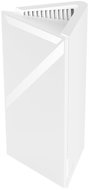
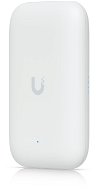
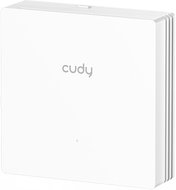
CUDY AC1200 86mm Wall-Plate Wi-Fi Access Point - WiFi Access Point
CUDY AC1200 86mm Wall-Plate Wi-Fi Access Point
Discounted -32 % 15,420 Ft 22,890 Ft
In stock
Order by midnight, get it at the AlzaBox in the morning.
Info
WiFi Access Point and WiFi 5, 802.11and/b/g/n, up to 1167 Mb/s, Dual-band (2,4 GHz 300 Mb/s + 5 GHz 867 Mb/s ), WPA, WPA2 and WPA3
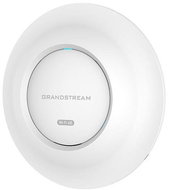
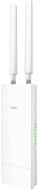
Grandstream GWN7665, Wi-Fi 6E - WiFi Access Point
Grandstream GWN7665, Wi-Fi 6E
62,990 Ft
In stock 2 pcs
Order by midnight, get it at the AlzaBox in the morning.
Info
WiFi Access Point and WiFi 6e, 802.11/g/n/ac/ax up to 5400 Mb/s, Tri-band, WPA2-PSK, WPA2-Enterprise and WPA3, IPv6 Ready, Access via cloud and Mobile app control
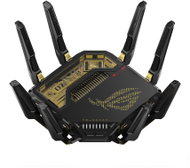
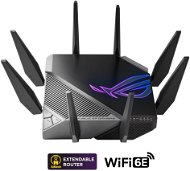
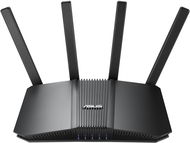
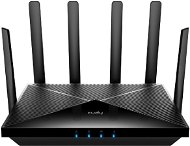
ASUS ROG Rapture GT-BE98 Edition 20 - WiFi Router
Free delivery
Alzaboxes and stores
ASUS ROG Rapture GT-BE98 Edition 20
309,990 Ft
In stock 4 pcs
WiFi Router
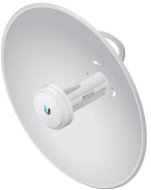
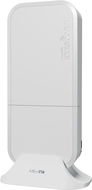
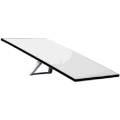
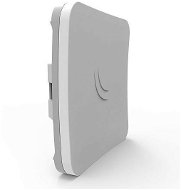
Ubiquiti airMAX PowerBeam 2AC - Outdoor WiFi Access Point
Ubiquiti airMAX PowerBeam 2AC
-7 % off new 51,090 Ft New 54,990 Ft
Unsealed - in stock 2 pcs
Order by midnight, get it at the AlzaBox in the morning.
Info
Outdoor WiFi Access Point - bands (2.4 GHz 330 Mbps ), 1 port with 1 Gbit

WiFi Routers & Access Points - additional info

Active element in a wireless WiFi network represents a device that acts as an access point (AP) or router. These devices offer facilities that connect a computer, multiple computers or other network devices (clients), and are responsible for subsequent communication and connection to wireless networks. They can also be used to create a wireless network. Active devices are most commonly used to create wireless home or office networks, where the computer (client) connects wirelessly, while the active element is connected to a cable Internet connection (eg. ADSL, cable internet) for sharing Internet access. Active elements can simply be used to wirelessly connect two computers without a line of sight. Line of sight is in fact ideal for establishing a wireless connection between two points.

Continue
No longer sold

Try our cookies

Alza.cz a. s., Company identification number 27082440, use cookies and other data to ensure the proper functioning of the website and, with your consent, also, among other things, to personalize advertising and the content of our websites. By clicking on the “I understand“ button, you agree to the use of cookies and the transfer of data regarding the behavior on the website for displaying targeted advertising on social networks and advertising networks on other websites.

More information
I understand Detailed settings Reject everything
P-DC1-WEB15