
TP-Link ER605, Omada

TP-Link ER605, Omada

Router TP-Link TL-R605
- Integrated into the Omada platform - Zero-Touch Provisioning (ZTP), centralized cloud management and intelligent monitoring
- Centralised management - cloud access and Omada app for maximum convenience and ease of management
- TP-Link TL-R605 has five gigabit ports - high-speed wired connectivity
- Up to 4 WAN ports - 1 gigabit WAN port and 3 gigabit WAN/LAN ports with load balancing
- High security VPN - supports up to 20x LAN to LAN IPsec connections, 16x OpenVPN, 16x L2TP and 16x PPTP VPNs
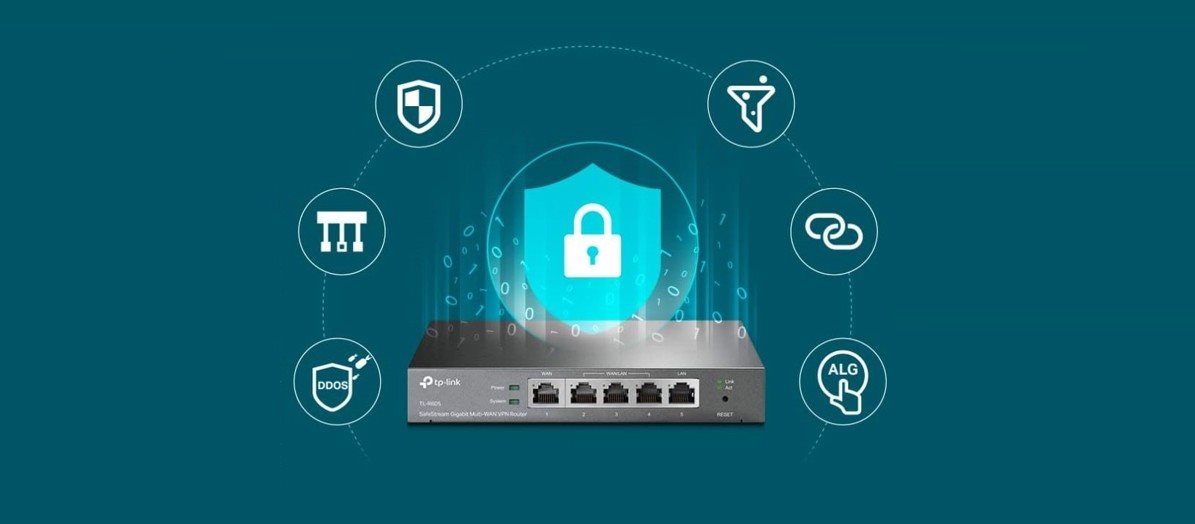
- Many security features - advanced firewall policies, DoS attack protection, IP/MAC/URL filtering and other security features to protect your network and data
SafeStream gigabit router TP-Link TL-R605
The TP-Link TL-R605 Gigabit Router can be easily integrated into the Omada platform and used with remote management from anywhere and everywhere. To maximize convenience, self-management is also available via a web-based user interface or app. Convenience is also enhanced by 100% centralized cloud management of the entire network, allowing control from a single device, phone or tablet.


Up to four gigabit WAN ports to optimize load
With three freely interchangeable ports that can be configured to WAN or LAN, the TP-Link TL-R605 router can support up to four WAN ports to meet different Internet access requirements through a single device. The Multi-WAN Load Balancing feature distributes traffic flows according to the bandwidth ratio of each WAN port to increase broadband efficiency.
TP-Link TL-R605 has a highly secure VPN
TL-R605 supports IPSec / PPTP / L2TP VPN over IPSec / SSL protocols. With a powerful hardware design, the router supports and manages up to 20× LAN-to-LAN IPsec, 16× OpenVPN, 16× L2TP and 16× PPTP VPN connections. Automatic one-click IPSec VPN greatly simplifies VPN configuration and makes network management and deployment easier, while securing and encrypting private data communications traveling over the Internet.

Easy management of internet access
Easily and quickly assign employee access rights and strategies
to the Internet through IP/MAC/URL filtering and access control lists (ACLs).
Captive Portal authentication facilitates the management of network resources by capturing,
authentication and classification of user access.
You can assign each user or guest the network resources that belong to them.
Simple management via the Omada app
The TP-Link TL-R605 router and your network can be configured quickly and easily with the instructions in the Omada app, which is free to download. It only takes a few minutes to set everything up and then you'll be able to fully enjoy a fast and stable network. You can then use the app to configure settings, monitor the current network status or manage clients. All from your mobile phone, tablet or computer.

Specifications
Type
Standards and protocols
Management and security
Functions
Ports
Speed
Features
Storage
Dimensions
Colour
| Code: | TpLNk21t14 |
| Warranty: | 60 months |
| Links: | Producer's Website: |
| Manufacturer information |
TP-LINK Czech s.r.o., Pekařská 10a, 15500 Praha 5, Česko, [email protected], www.tp-link.com TP-LINK Czech, s. r. o., Pekařská 695/10, Jinonice, 155 00 Praha 5, CZ +420 212 812 622 / SK +421 233 006 532, [email protected] 
|