
Reviews Xerox Phaser 3020BI
Interested in reviews of Xerox Phaser 3020BI? It got 4.5 out of 5 stars from our customers. Find specific customer reviews of Xerox Phaser 3020BI below. We will appreciate if you also share your experiences with Xerox Phaser 3020BI after purchasing.
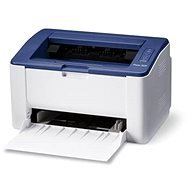
Xerox Phaser 3020BI
Discontinued

Customer, Kecskemét
Rated 27/02/2022, variant Xerox Phaser 3020BI
Verified purchase
Apple-t használok, és WiFin szerettem volna nyomtatni. Nos villogott a nyomtató, hogy a feladatot megkapta. Volt hogy nyomtatott. De olyan is volt nem nyomtatott. Villogott, hogy jön az adat, de a végén nem indult el a nyomtatás. Apple gépről kábeles összekötéshez nem találtam drivert / szoftvert.
Van egy Windows-os backup laptopom, kábellel összekötve tök jól működik.
nyomtat, ha úgy dönt
van wifi lehetőség
PC-ről kábelen keresztül jól működik
WiFiről kapott nyomtatási kéréseket van hogy figyelmen kívül hagyja
Lassan csatlakozik a WiFi-re
0 ×Report

Miloslav, Podsedice
Rated 01/06/2026, variant Xerox Phaser 3020BI
Verified purchase
For the price it's great, works as it should, small, fast, awesome 👍
It does not have double-sided printing. It's not my fault, it's my stupidity for not noticing.
0 ×Report
Automatic translation

Lukáš, Praha
Rated 05/04/2026, variant Xerox Phaser 3020BI
Verified purchase
small, it works
need to download drivers from the web,
0 ×Report
Automatic translation

Filip, Brno
Rated 04/04/2026, variant Xerox Phaser 3020BI
Verified purchase
supplied without toner
0 ×Report
Automatic translation

Antonín, Chodov u Karlovy Varů 1
Rated 04/04/2026, variant Xerox Phaser 3020BI
Verified purchase
Setting up a Xerox Phaser 3020 printer is a string of sheer frustration due to a number of technical issues. From the outset, the fact that the manufacturer still supplies the software on CD/DVD is a sign of considerable obsolescence. Even if you install the drivers online via USB cable, everything seems stable until you hit the deeper layers of the system.
The most serious problem lies in the way the printer manages IP addresses through DHCP. This device implements DHCP in an extremely unreliable manner, causing the printer to continually go offline for no reason. The buttons on the printer body start flashing erratically, and even though the network system reports a successful connection, the printer cannot be pinged. The only solution for normal printing is a deep intervention in the configuration of the router, setting a static IP address and performing IP Binding (pairing with a MAC address), which is very complicated for the average user.
Incredible inconsistency is evident in the administration of the system. While the HTTP connection may seem stable from the start, the moment you enter the web interface (EWS) for advanced settings, everything breaks down. The Xerox manual lists the default password as "1111", but for batches in this region, this password is completely incorrect, which locks the user out in the first step of configuration. It doesn't stop there - the conflict between outdated printer SSL certificates and modern mobile operating systems leads to a Locked error. This is a clear consequence of the lack of scrutiny of firmware differences between the US and EU markets, creating a maze of errors in network protocols and driver compatibility.
If you are experiencing a condition where the printer signals ready but does not print, if you are stuck at the EWS login, or if the printer keeps disappearing from your network, contact me if you need a more detailed explanation of the causes and how to resolve these system errors definitively (I already have some experience: ] ). I can help you with that. Contact: WhatsApp: 792 553 723
print quality
100% for most people (not possible to fix the problem) For example, the reviews below from previous users.
therefore not user friendly
with default internet settings cannot be used normally


0 ×Report
Automatic translation

Anonymous customer
Rated 30/03/2026, variant Xerox Phaser 3020BI
Verified purchase
I bought it about six years ago. The next year, the manufacturer stopped updating drivers for macOS. Luckily, I always got it going somehow. WiFi has to be set up through their app, which works for now but may eventually stop. You then need to connect to the printer's web interface and set up Wifi sleep. When you start the printer, it connects to the Wifi and after a minute it disconnects and doesn't want to connect anymore. You also need to be careful, a long hold on the two arrow buttons can turn off wifi completely. Then again, a long hold turns it on but it may not connect right away. It may take a few minutes.
Small
Quick
Cheap operation
I'm also running Tahoe on macOS
A little less intuitive especially when it comes to wireless printing controls
You need technical skills to install it on a Mac (it's not trivial)
0 ×Report
Automatic translation
Petr, Bludov
Rated 27/02/2026, variant Xerox Phaser 3020BI
Verified purchase - review from a price comparison website
Cheap, small, well functioning - satisfaction
0 ×Report
Automatic translation

Tereza, Libenice
Rated 07/02/2026, variant Xerox Phaser 3020BI
Verified purchase
cheap printing - toner 150, -
long life ( purchase 2020 ) and prints daily
0 ×Report
Automatic translation

Jaroslav, Praha 6
Rated 06/02/2026, variant Xerox Phaser 3020BI
Verified purchase
with new phones and computers (e.g. Mac) doesn't and won't work for wireless printing - that feature shouldn't even be advertised in 2025.
We didn't compare it at home and it wasn't our fault, it was just the malme "too new" devices - in the end they refunded our money.
with new phones and computers (e.g. Mac) doesn't and won't work with wireless printing - that feature shouldn't even be advertised in 2025
0 ×Report
Automatic translation
Customer, Praha
Rated 17/12/2025, variant Xerox Phaser 3020BI
Verified purchase
glitchy piece of plastic
0 ×Report