
Reviews Brother DCP-T230
Interested in reviews of Brother DCP-T230? It got 3.3 out of 5 stars from our customers. Find specific customer reviews of Brother DCP-T230 below. We will appreciate if you also share your experiences with Brother DCP-T230 after purchasing.
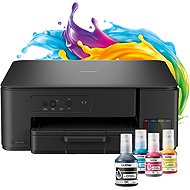
Brother DCP-T230
In stock > 5 pcs
63,990 Ft
Add to Cart

Josef, Čelákovice
Rated 10/11/2026, variant Brother DCP-T230
Verified purchase
Easy installation when following the installation instructions and using the EasySetup pack, simple ink refilling
Ink tank system – low printing costs
Great price, Black Friday
Easy installation
Small size
Good quality printing
Nothing yet.
0 ×Report
Automatic translation

Zdeněk, Jablůnka nad Bečvou
Rated 06/11/2026, variant Brother DCP-T230
Verified purchase
It is best to set up the printer following the instructions in the EasySetup installation package, which is available on the official Brother website. It will guide you through the setup, install the drivers on your PC, and offer printer updates.
The printer needs to be filled, turned on, and then you need to press the ColorCopy button for 3sec so that the print head fills up and performs the necessary tasks (takes a few minutes).
Great price, including full-sized refills (bought on offer)
I am happy with the printing so far. The photo quality looks good.
Toner tank system – low costs
Easy setup using the EasySetup installation pack
More of a heads-up. This model can only be connected using a USB A/B cable (not included, but common with most printers, so you can use one from an old printer, for example)
The paper instructions are a bit poor
0 ×Report
Automatic translation

Anonymous customer
Rated 03/06/2026, variant Brother DCP-T230
Verified purchase
prints well
Simple and inexpensive colour addition
the feeder sometimes takes two papers.
0 ×Report
Automatic translation

Štěpán, Praha
Rated 06/05/2026, variant Brother DCP-T230
Verified purchase
Cheap printing
Long lasting cartridges
If you get it at some significant discount, good buy
You don't connect to wi-fi, although the marketing everywhere proclaims the ability to use it via the app
You can't run it on a Mac: There are no drivers for the USB connection, the Mac itself will not run the printer and requires a wi-fi connection - but the printer can't do that. On a Mac, you have no chance
The only connection method is USB with a non-standard connector, but you won't find one in the package.
0 ×Report
Automatic translation