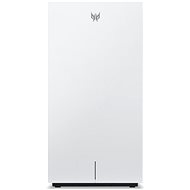
Interested in reviews of Acer Predator Connect T7? It got 4.0 out of 5 stars from our customers. Find specific customer reviews of Acer Predator Connect T7 below. We will appreciate if you also share your experiences with Acer Predator Connect T7 after purchasing.
I purchased this router for the 7 and 6 GHz WiFi. Unfortunately, even when connected to the 6 GHz WiFi band, it was just as fast as the 5GHz on the previous WiFi 6 modem supplied by T-mobile... which is really miserable. The test was done right by the router so it was not through a wall and had no obstructions. The network was split into bands, so I was only connected to 6 GHz. I didn't really notice anything with the MLO, the speed was still the same - slow! I tried switching even to empty channels so as not to interfere with anything but alas. It was tested on 2.5 Gbps optics which means this router throttles speed like crazy. On paper this router sounds really good, in practice it is a normal router that meets the normal WiFi 6 speed of about 400 to 700 Mbps but you can forget about the speed at 6 GHz. For VR which needs 6 GHz, it's a no-go... on paper it meets again but with VR it just won't work with you as it's nowhere near the standards of WiFi 7. Unfortunately it only has one 2.5 Gb port so you plug in the internet and the other ports to PC etc... are only at 1 Gb which is very limiting. I am returning this router and passing my experience on and you should think very carefully about buying this router.
Design
Applications for foaming and setup
6 GHz like he didn't have...
Weak signal
Only one 2.5 Gb port rest only 1 Gb
Size - with this size, I would expect it to at least have decent antennas. Unfortunately, the signal is weak and we will definitely need to extend WiFi to reach all rooms in the apartment
I bought it mainly for the speed of the home network. It was taken for the purpose of playing VR. But unfortunately, PC and VR, even though they are on the same network according to IP addresses, cannot communicate with each other. I have searched through all the T7 settings and I can't find any settings related to LAN-WAN communication. I've tried putting the PC on WIFI but that doesn't help either. There are devices on the same network and I can see them in some applications on the PC glasses, but I can't establish a connection.
It supports various standards including the latest WiFi 7 at a reasonable price
The backlight can be deactivated at night
0 ×Report
Automatic translation
Try our cookies
Alza.cz a. s., Company identification number 27082440, uses cookies to ensure the functionality of the website and with your consent also to personalisage the content of our website. By clicking on the “I understand“ button, you agree to the use of cookies and the transfer of data regarding the behavior on the website for displaying targeted advertising on social networks and advertising networks on other websites.