
Reviews 27" iiyama G-Master G2740QSU-B1
Interested in reviews of 27" iiyama G-Master G2740QSU-B1? It got 4.9 out of 5 stars from our customers. Find specific customer reviews of 27" iiyama G-Master G2740QSU-B1 below. We will appreciate if you also share your experiences with 27" iiyama G-Master G2740QSU-B1 after purchasing.
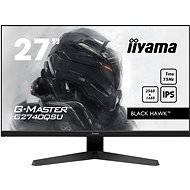
27" iiyama G-Master G2740QSU-B1
Discontinued

Customer, Praha 4 - Chodov
Rated 24/10/2025, variant 27" iiyama G-Master G2740QSU-B1
Verified purchase
For the price, a really cool monitor, I have a smaller desk, so it fits just right.
Easy installation of the stand.
It's been two years since I've been using it daily and all is well.
0 ×Report
Automatic translation

Jiří, Praha
Rated 04/12/2022, variant 27" iiyama G-Master G2740QSU-B1
Verified purchase
The primary use of the monitor is for work and gaming on both is quite satisfactory. I have not noticed any shortcomings.
FreeSync
Price
Size
Built-in USB HUB
VESA
2K sharp image
0 ×Report
Automatic translation
Karel, Brno 2
Rated 09/06/2022, variant 27" iiyama G-Master G2740QSU-B1
Verified purchase
It' s a good monitor in the back, I' m happy with it. When it comes to labor productivity, you can tell the difference between FullHD and 2K (hence 1440p). When it comes to upgrading and improving your workload, it' s definitely worth considering.
As for the “negatives“, not everything is necessarily negatives, the writing such “caveats“ (“Be careful“). I kind of miss USB Type C and due to the time the USB hub should be pure three, two has nothing to do in today' s world.
On the positive side, there is no need to make separate cables, as the monitor has all the cables included. As for the colors - I don' t deal with it much, because the main task is programming, where there is only the need for syntactic highlighting.
Good choice for me. 4 stars for USB 2.0, otherwise 5.
Relative compactness to size
presence of VESA 100x100
Lightweight display for its size, which I appreciate on the quad holder (Alza ergoArm)
The presence of the CZ mutation for non-English-speaking users
I appreciate the presence of “old“ HDMI
Built-in USB 2.0 hub
For the price (purchased for 4500, -) a lot of good buys.
Cable (HDMI + DisplayPort + USB -> USB-B) included, does not need to be purchased separately
For work (need VS Code with 3 columns in the window) is better than 24 “
Resolution 2560x1440 compared to 1920x1200 / FullHD 1920x1080 is not such an upgrade
It is necessary to take into account the performance of GK and its maximum resolution - a pretty important reminder
“Wide“ frames (approx. 7mm to the screen), which may not necessarily be a pity, but it wastes a bit of a potential place
Only two ports - DisplayPort and HDMI. Having a Type-C as a video input here would improve compatibility with the newer NTBs, but this is not a clear downside.
When the image flickers (tested on docking station. with Dell E5440) must turn off AMD FreeSync (Typically older GK from Intel - e. g. HD 4000)
“Only“ USB 2.0 hub, the terminal connector is USB-B
0 ×Report
Automatic translation