
Reviews 26.5" MSI PRO MAX 271UPXW12G
Interested in reviews of 26.5" MSI PRO MAX 271UPXW12G? It got 4.0 out of 5 stars from our customers. Find specific customer reviews of 26.5" MSI PRO MAX 271UPXW12G below. We will appreciate if you also share your experiences with 26.5" MSI PRO MAX 271UPXW12G after purchasing.
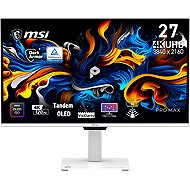
26.5" MSI PRO MAX 271UPXW12G
In stock > 5 pcs
292,990 Ft
Add to Cart

Patrik, Kamenice
Rated 02/11/2026, variant 26.5" MSI PRO MAX 271UPXW12G
Verified purchase
I bought this monitor for photo editing and occasional gaming (Warzone). For this price, there isn't another OLED monitor with similar qualities on the market. The colours are great, but when it comes to photos, it takes a bit of getting used to; the white really burns your eyes, which isn't completely ideal for photo editing. It was great to use and I probably would have kept it, but it only charged my MacBook Pro M1 16" at 5V, no matter how I connected it. I even tried plugging it into MagSafe and still no change. Unfortunately, it is severely let down by the absolutely unintuitive and tedious switching between signal sources. That nonsense on the bottom bezel to detect whether someone is sitting in front of the monitor is something that 99.9% of people really won't use, and it spoils the look. Unfortunately, the tragedy of modern times is not seeing details through to the end. Amazing things with great components are manufactured, but in the end, it all falls flat on small, yet crucial details. Verdict: If you have a single input, don't need to charge a MacBook with it, and want truly great 4K quality and sharpness, go for it – there really is nothing better for the money! PS: Oh, and the mentioned app only works when the MacBook is connected via USB-C (not HDMI or DP). You will probably only open it once anyway just to see what's in there, just like I did. :-D
Resolution
Subtlety
Luminance
Speed when playing games
Switching between individual sources
It doesn't even manage to charge my MacBook when I'm not doing anything on it, not even via MagSafe
That nonsense at the bottom for monitoring whether someone is at the monitor just ruins the look
0 ×Report
Automatic translation

Company
Rated 16/09/2026, variant 26.5" MSI PRO MAX 271UPXW12G
Verified purchase
I wanted this monitor to replace an older monitor and a separate KVM switch for switching between my gaming desktop and my work laptop. However, the switch has a poor implementation. If one of the computers is inactive for some time (about half an hour? I didn't time it exactly), the switch can no longer find it after switching, and I had to crawl under the desk to press a key on the laptop to wake it up. On the gaming PC, the only option is to press the power button. I've decided to return the monitor.
Picture
KVM - doesn't send a wake event when switching. If the computer has been "inactive" for a while, the switch won't find it as an input.
The VESA adapter is unnecessarily deep and makes the monitor stick out from the wall a lot.
0 ×Report
Automatic translation