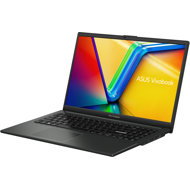
This page contains frequently asked questions about Asus Vivobook Go E1504FA-NJ940. If you are considering buying this product, you may want to read the discussion or ask more questions about Asus Vivobook Go E1504FA-NJ940. They will be answered by our specialists.
Ha operációs rendszer nélkül veszel ilyen gépet, a telepítő pendrive-ot a Rufus-al úgy kell megformázni, hogy: Partíciós séma: GPT, és be kell pipálni a Futásidejű UEFI adathordozó érvényesítés-t. Utána már rendben felmegy a rendszer, ami után már csak a driver-eket kell összevadászni.
Alza Expert,2025. 6. 1.
Köszönjük a jelzését!
Az Asus Vivobook Go E1504FA-NJ940, ha operációs rendszer nélkül vásárolod, akkor a telepítő pendrive elkészítésénél a Rufus programban a következők a legfontosabbak:
Partíciós séma: GPT (mert a gép UEFI alapú, és így tudja indítani a telepítőt)
Futásidejű UEFI adathordozó érvényesítés (UEFI runtime validation): be kell pipálni, hogy kompatibilis legyen a gép UEFI firmware-ével.
Ez után a Windows telepítő gond nélkül elindul, és feltelepíthető.
A telepítés után jön a driver-keresés, amit érdemes az Asus hivatalos oldaláról letölteni, hogy minden hardver megfelelően működjön.
Alza.cz a. s., Company identification number 27082440, uses cookies to ensure the functionality of the website and with your consent also to personalisage the content of our website. By clicking on the “I understand“ button, you agree to the use of cookies and the transfer of data regarding the behavior on the website for displaying targeted advertising on social networks and advertising networks on other websites.